
Websites
Build and monetize your online presence with a fully integrated website - from digital products to e-commerce sales.


Move your audience off social media and own your relationship with them

Use the right metrics, organized into reports you’ll actually use.

Automatically collect, respond to, and analyze customer feedback from email, SMS, Google My Business, and Facebook.

Automate Instagram and Facebook DMs to capture leads, deliver offers, and drive sales — even while you sleep.

Build dynamic landing pages without needing a designer

Create marketing emails worth opening

Automate and scale with Amply360’s proven, ready-made Funnels
Create and manage Workflows to automate business processes, improve efficiency, and increase conversions.

Plan, schedule, and publish content across platforms, so you stay consistent without the chaos.

Engage leads 24/7 with intelligent chatbots that qualify, nurture, and convert — automatically.
Quickly find the right help for where you’re at

Curated expert insights and process to grow your business
Refer a friend and earn lifetime commissions for each activated referral

Official Facebook Group to connect with fellow AMPLY Aces, ask for help and get feedback
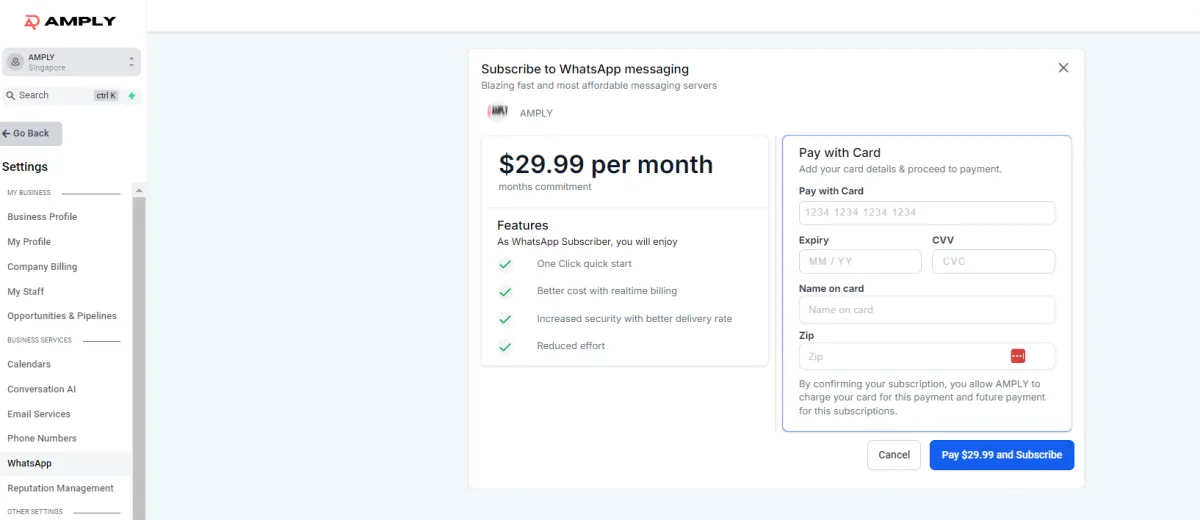
Open WhatsApp Business: Navigate to Settings in the bottom left corner.
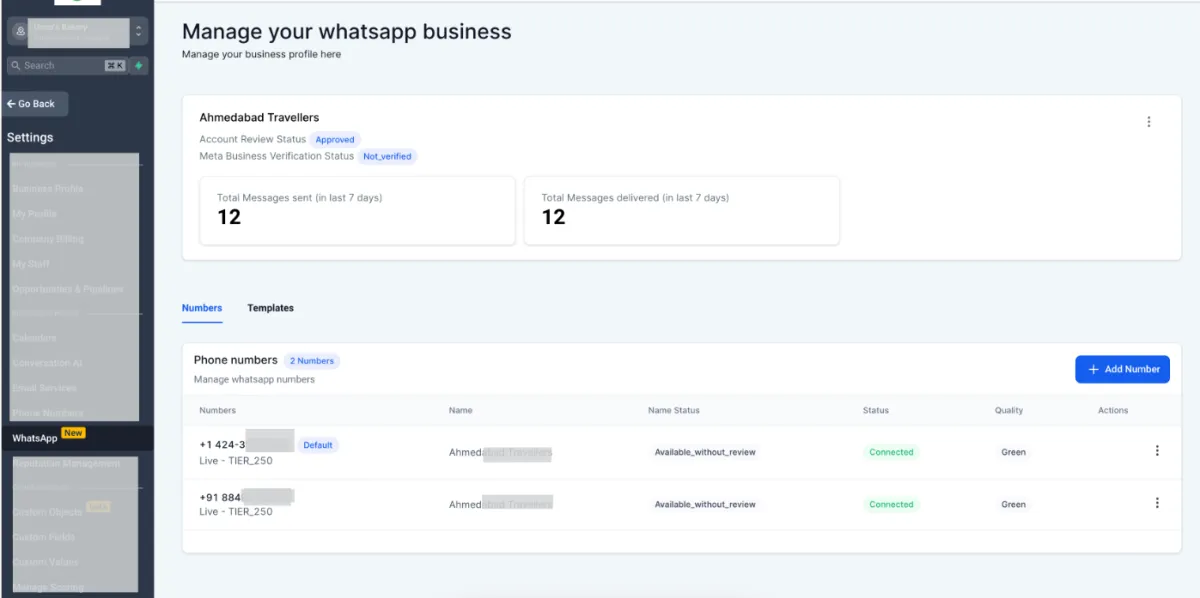
Access WhatsApp Business Manager: Click on WhatsApp and your manager interface will appear.
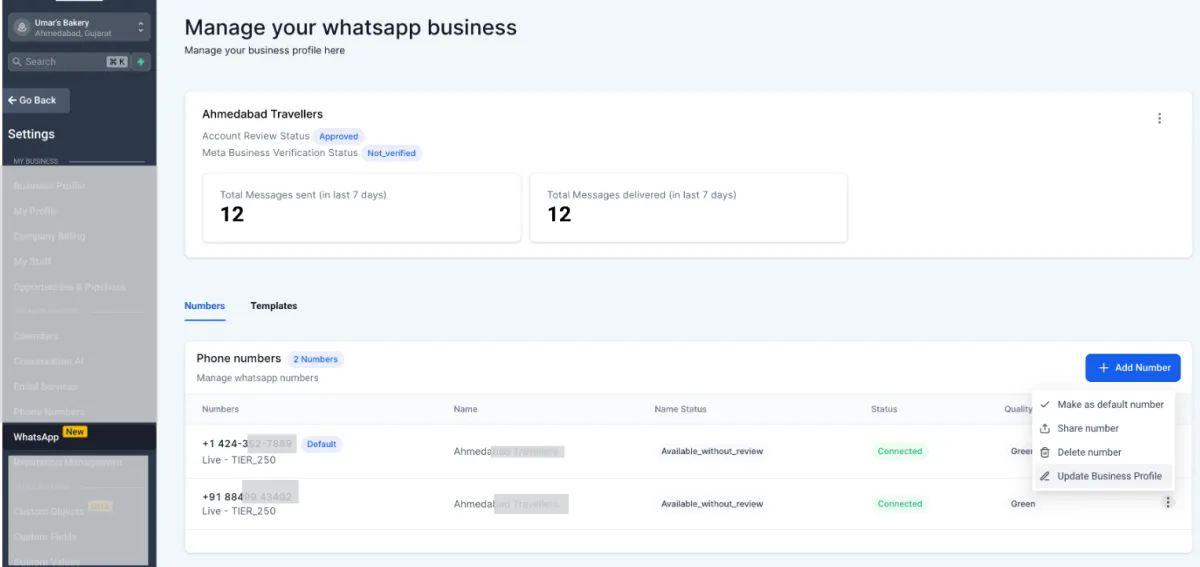
Update Business Profile: Navigate to the three dots on the right and select "Update Business Profile".
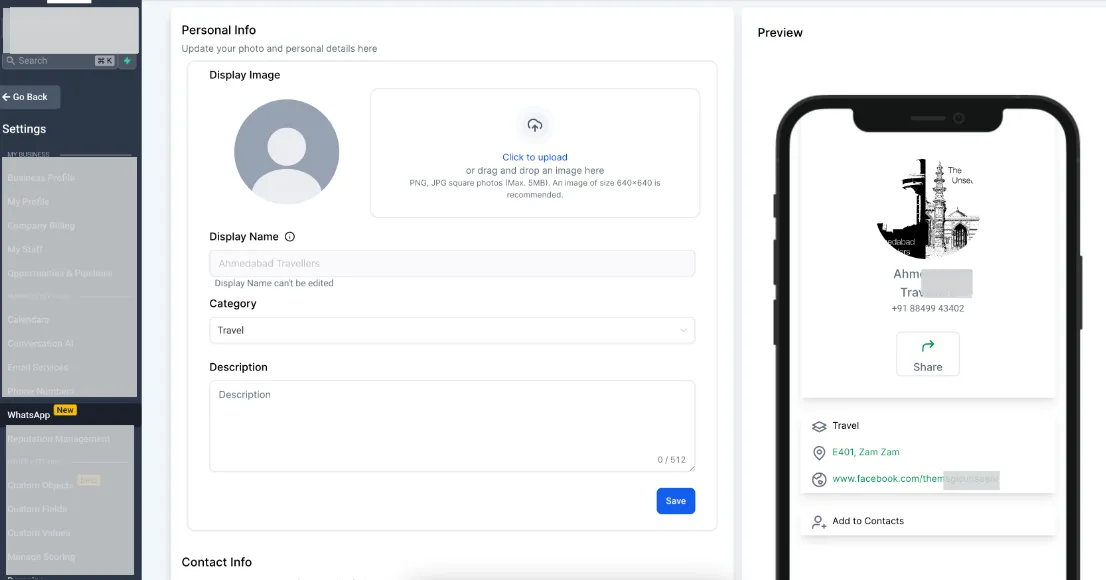
Add Your Profile Picture: Upload your image (PNG or JPEG up to 5 MB). Recommended size: 640x640 pixels.
Set Display Name: Enter your business name following WhatsApp's guidelines. This name is crucial to comply with WhatsApp Commerce and business policies.
Describe Your Business: Write a description (up to 512 characters) explaining who you are, what your company does, and how you can help. Include your website or other relevant links.
Provide Contact Information: Add details like your address, email, website link, or any other important contact links for customers to reach you.
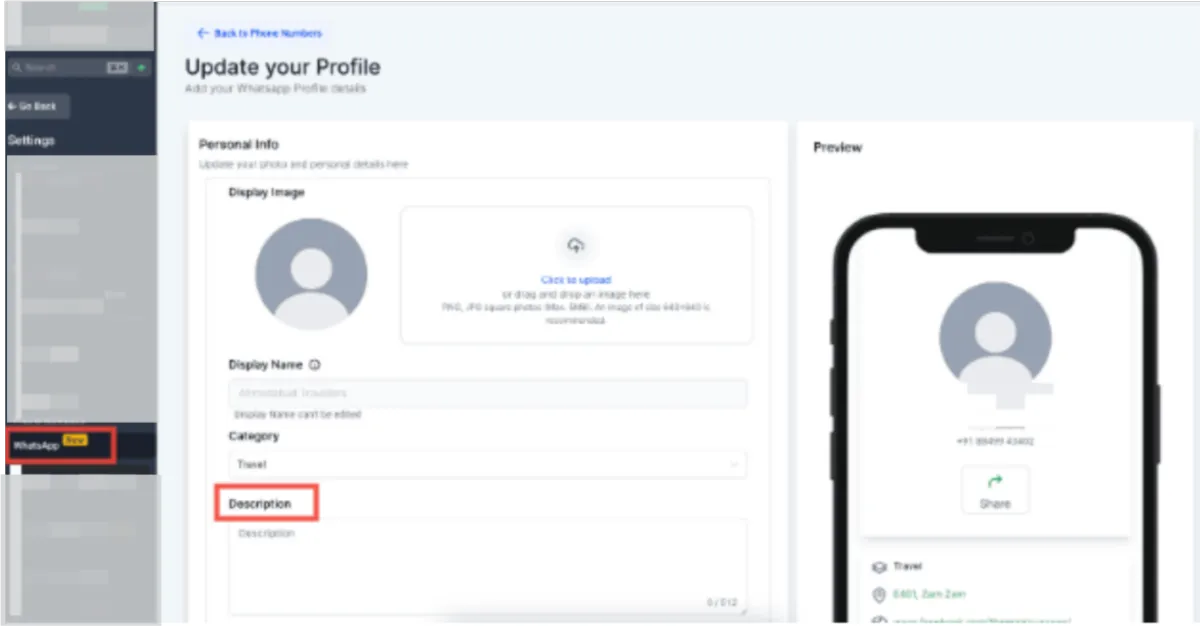
Under Display Image , Click to Upload
Click Save
📚 Deep Dive: WhatsApp Automation in Amply360 — Learn how to use WhatsApp for AI conversations, booking bots, and marketing campaigns.
Amply360
The all-in-one business platform built by a mom entrepreneur, for solopreneurs and business owners who'd rather grow their business than troubleshoot software.
© Amply360 | All Rights Reserved.


